

Sent
Client Testimonials for OV HD, ds-TV Satellite, Fiber, WiFi, Camera & Internet Cabling Services
Act Now to Connect With DS-TV Agents or Get Multi Choice Contact Numbers or WhatsApp Details & Access Your Entertainment and Support From An Agency
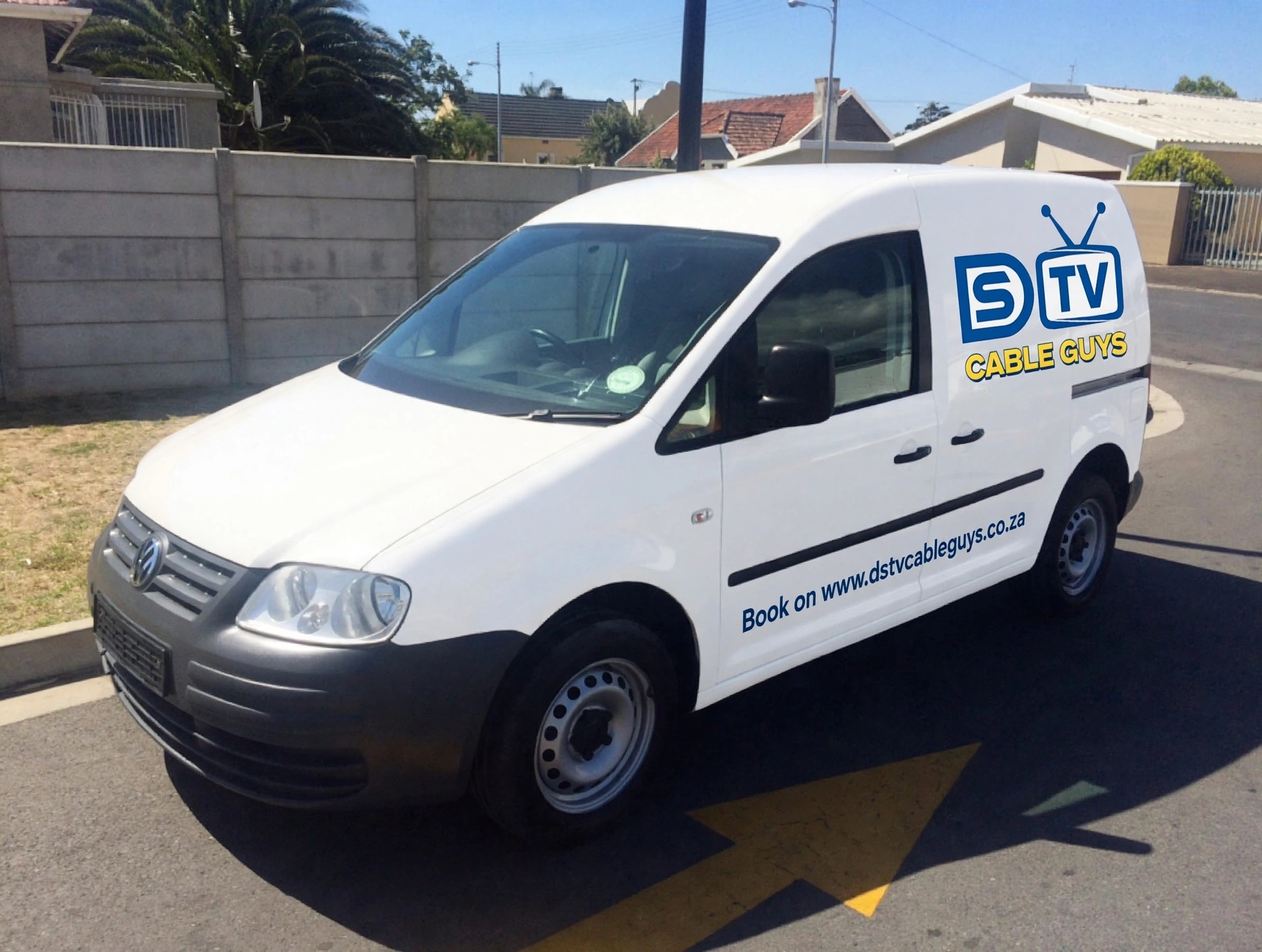
How can DStvCable Guys assist you today? Call or WhatsApp 078 795 1265 to schedule an installation or repair only, or fill out the form with a detailed inquiry and hit submit. Book your service today and we will be in touch with you as soon as possible.
Looking for quick access to DS-TV support? If you need to speak to a DS-TV agent near me, call the switchboard to talk directly to a customer care agent or use the IVR system. You can also WhatsApp MultiChoice at 060 060 3788 and have your smartcard number and surname ready. Just say "Hi" and follow the prompts to check balance, make a payment, download your statement, or contact accredited DS-TV installation sales. Reserve your spot now with a DS-TV agent for installation and repair at unbeatable prices. Every authorized DS-TV agency can also assist with upgrades. MultiChoice South Africa is available seven days a week.
DS-TV Contact Details & WhatsApp Numbers
Get the official DS-TV agent numbers and DS-TV contact details you need for account help, billing and upgrades. Find your nearest DS-TV walk in centre across South Africa or connect to a DStv agent near me for fast support. Click phone numbers to call now or WhatsApp DStvCable Guys for instant chat or send a message for installation and repair only. We offer same day services, act now and get assistance today or scroll down for all multi choice numbers and DS-TV WhatsApp contact numbers.
Customer Care Agent Number South Africa: Call 011 289 2222 now for all general inquiries and speak to an agent.
DS-TV Contact Number Johannesburg: For inquiries dial 011 289 2222. Visit the DS-TV walk in centre in Ferndale, Randburg, Johannesburg for face to face help from a local agency.
DS-TV Contact Number Pretoria: Reach MultiChoice agents at 012 422 2222 for assistance in Pretoria.
DS-TV Contact Number Durban: Contact MultiChoice customer centre agency at 031 710 2222 for help from an agent.
DS-TV Contact Number Cape Town: For help or to connect with an agent in Cape Town, please call 021 508 2222.
DS-TV Contact Gauteng: Reach an agency at 011 289 2222 for any Gauteng related inquiries.
Self-Service Number: Manage your account and services without visiting an agency through self service options or call the details or numbers above and speak to a DS-TV agent today. For help with accredited DS-TV installation and repair only Call or WhatsApp 078 795 1265. Every agency is trained for same day installs.
WhatsApp Helpline
Get immediate help using WhatsApp. Chat with an installation repair technician at DStvCable Guys 078 795 1265 or Book your repair now at cheap prices.
DStvCable Guys technical representatives are ready to assist with installation and repair only at unbeatable prices. WhatsApp a DS-TV agent on 060 060 3788 for accounts or billing issues.
Wondering is DS-TV customer care 24 hours via WhatsApp, yes the customer care is available 24/7 on WhatsApp. Get started today with an agent.
Toll Free Information
General Inquiries: Contact DS-TV toll free via call back request available 24/7 for your convenience. NB: The direct toll free number is currently unavailable. Dedicated private accredited DS-TV installation and repair support line only. Need help? Call or WhatsApp 078 795 1265 now for all installation and repair related technical issues only. Don’t miss out on same day service from our agency team.
About MultiChoice
MultiChoice is the leading entertainment provider in Africa, overseeing DS-TV's operations. For further insights into services and offerings, visit the DS-TV walk in centre on Bram Fischer Road Randburg and speak to a DS-TV agent in person. For DS-TV Customer Centres or Agents near Johannesburg WhatsApp or visit any DS-TV walk in centre or agency for in person assistance with account issues, technical support, or equipment queries from a DS-TV agent near me.
Physical Address
You are welcome to visit DS-TV at:
MultiChoice Johannesburg Agency
144 Bram Fischer Drive
Randburg, 2194
Johannesburg, South Africa
MultiChoice City Agency
Willie Faasen Avenue
N1 City, 7460
Cape Town, South Africa
MultiChoice Agency - The Glass House
309 Umhlanga Rocks Drive
Somerset Park, uMhlanga, 4319
Durban, South Africa
DS-tv Agency - Sky Towers
275 Anton Lembede Street
Durban Central, 4001
Durban, South Africa
MultiChoice Agency - Mall Of The North
699 R81
Polokwane, 0699
Limpopo, South Africa
Need DS-TV contact details for your area? Call 011 289 2222 or WhatsApp 060 060 3788. We are here to help you make the most of your DS-TV experience. Take action now contact DStvCable Guys independent agency for installations and repairs or speak to a DS-TV agent today.
Got a DS-TV Agent Error e48-32 or e143 no Signal in Johannesburg?
Learn how to clear e48-32 on DS-TV or E48-32 no signal now. Find DS-TV signal using phone or access DS-TV signal settings. Find out how to clear DS-TV error code via SMS or WhatsApp or e48-32 no signal and how you clear error codes or use the DS-TV signal finder app. Trouble shoot or clear E143-0 error on DS-TV. Get tips clear OV HD no signal without remote or access Open View HD frequency settings. Quick guide on restoring channels on Open View decoders and using the Open view activation WhatsApp number. Can't get hold of an agency to help. Don't worry, we are here to help you fix it Call 078 795 1265 and speak to a technician for fast installation and repair support at low prices.
Other Common DS-TV error codes
If you see E04 – Please insert smartcard on your screen, your decoder is not detecting the card. The E04 error usually happens after cleaning or moving the decoder. To fix E04, power off the decoder, remove the smartcard, clean the gold chip gently with a soft dry cloth, re-insert it firmly with the chip facing down, and power it back on. This reset clears E04 in most cases.
The E05 – Unknown Smartcard message means the card in the decoder is not paired to that decoder. You will get E05 if you use a card from another house. To resolve E05, make sure you are using the correct card for that decoder. If the E05 error continues, dial _120_68584# to re-pair your card, or use MyDStv app to send a re-hit.
E06 – Smartcard Failure indicates the smartcard is damaged or corrupted. When E06 appears, first try the same steps as E04 - remove and re-insert. If E06 persists after two tries, the card itself is faulty. You will need to take your decoder and ID to a DStv service centre to replace the card showing E06.
E07 – Checking Smartcard is not a fatal error, it means the decoder is trying to read the card. You will see E07 for about 30 seconds after booting. If E07 stays for more than 2 minutes, power cycle the decoder. A stuck E07 often clears after a reboot and signal refresh. If E07 still does not clear, clean the card as described above.
E100 / E101 means your smartcard failed to validate on the network. Both E100 / E101 errors appear when there is a communication glitch. To fix E100 / E101, check that your signal is above 70% and do a reset via MyDStv App > Fix Errors. If E100 / E101 remains after 15 minutes, your card may need a manual re-authorization from DStv support.
The E107 – Smartcard Error is a general read error, similar to E06. When you get E107, power off the decoder for 1 minute. The E107 message should disappear after restart. If E107 returns immediately, try your smartcard in another decoder if possible. Persistent E107 means you need a card replacement.
E33-4 – Insert correct Smartcard shows you have put the wrong card type or a card from a different decoder model. E33-4 will not clear until the correct paired card is inserted. Double-check the smartcard number on your decoder. If you are sure it is correct and E33-4 still shows, perform a factory reset from Menu > Settings. Contact support if E33-4 persists.
E16 is the most common error. E16 – Service is currently scrambled means your subscription is inactive, unpaid, or your decoder needs a refresh. To fix E16, first check if your payment went through. Then send a refresh signal via MyDStv app. Leave your decoder on for 5 minutes on a free channel. Most E16 issues clear within 10 minutes after payment, and a persistent E16 can be fixed by support.
E17 – No Active Subscription means there is no active package on this smartcard. You will see E17 if your account was disconnected. To clear E17, renew your package. If you already paid and E17 still shows, ensure you paid to the correct smartcard number. The E17 error needs a re-hit after payment to restore viewing.
E19 – Subscription expired is similar to E16/E17 but means your last package has ended. When E19 appears, your channels will cut to E16 after a while. Pay for a new package to fix E19. You can also clear E19 quickly by using the My DS-tv app to reconnect. Once reconnected, E19 will change to E30 while validating.
E30 – Checking the subscription status means the decoder is contacting DStv to confirm your payment. You will see E30 right after paying or after a refresh. Normally E30 clears in under 2 minutes. If E30 is stuck for more than 15 minutes, reboot your decoder. If E30 still hangs, check your LNB signal - validation needs signal.
E32 shows your decoder is downloading your entitlements. The E32 message often appears after a long time off. Leave your decoder powered on and connected to the dish when you see E32. Do not interrupt E32 by unplugging. Usually E32 clears on its own within 5 minutes.
E37 – Invalid channel number means you typed a channel that does not exist. You get E37 if you press e.g. 900. The E37 error is harmless. Just press OK and enter a valid channel. If E37 appears when you select a channel from the guide, that channel was removed from your bouquet, so E37 is telling you to check the new lineup.
E42 – Parental Control lock is not a fault, it is the parental lock. E42 appears when you try to open a restricted channel. To clear E42, enter your PG PIN, default is 1234. You can disable E42 permanently from Menu > Parental Control. If you forgot the PIN for E42, reset it via MyDS-tv.
E43 – Channel not available for your country means that channel is geo-blocked. The E43 error is common near borders. You cannot fix E43 by resetting, as E43 is policy-based. If you believe E43 is showing by mistake, check your decoder's country settings. Contact DStv if E43 appears on all channels.
E45 – Service not allowed means your current package does not include that channel. You will see E45 when trying to view a premium channel on Access. To resolve E45, upgrade your package or use BoxOffice. If you already upgraded and E45 still shows, do a subscription refresh. Most E45 errors clear after the refresh.
Here's What You Need To Know About Fixing The DS-TV Error Code
DS-TV error E48-32: Often related to signal issues. Get help from a DStv agent today.
How to fix E48-32 on DS-TV: Check your satellite dish alignment and find signal strength.
No signal on DS-TV: Ensure your decoder is properly connected and configured.
DS-TV signal settings: Adjust settings manually if needed or speak to an agency.
How to fix no signal: Check for obstructions, re-align dish, or contact DS-TV support. Book now.
How to set DS-TV signal manually: Access decoder settings, select signal strength, and adjust accordingly or find an agent
How to find DS-TV lost signal using phone: Use signal finder apps or tools.
How to scan DS-TV signal: Use decoders built-in signal scan feature.
DS-TV error codes: Check online for specific error code solution.
DS-TV signal strength 100 signal quality 0: Indicates strong signal strength but poor quality e48-32. Contact a DS-TV agent near me for assistance.
How to clear error code on DS-TV after payment: Restart decoder, check signal, or contact DS-TV support numbers.
DS-TV signal Finder: Use tools or apps to find and optimize signal to clear E48-32.
How to scan DS-TV signal with remote: Find decoder menu, select signal scan, and follow prompt.
How to find DS-TV signal using phone: Press the blue button on the DS-TV remote.
How to clear error codes or use the DS-TV signal finder app to clear E143-0 error on DS-TV: Download the My DS-TV app on your phone or get DS-TV contact details from support.
How to fix DS-TV E143: No communication from primary decoder
Step 1. Reset or reconfigure decoder settings.
Step 2. DS-TV E143 reset: Restart decoder or contact DS-TV support agencies. Call a DStv agent for help.
Step 3. Fixing Error E143-4: Check primary decoder communication, reset, or reconfigure settings.
Step 4. E143-4 Waiting for communication from primary decoder: Ensure primary decoder is connected and functioning.
Step 5. No communication from primary decoder: Check cables, settings, and decoder status.
Step 6. DS-TV primary decoder settings: Configure correctly for ExtraView or secondary decoders or get DS-TV contact details
Step 7. DS-TV secondary decoder settings: Ensure paired with primary decoder and configured correctly. Causes of no communication: Loose cables, incorrect settings, or decoder issues. For DS-TV contact details or to visit the walk in centre, call the official contact number today. Any DS-TV agency can assist with decoder pairing.
What is DS-TV Streama?
Ds-tv Streama is the online version of DS-TV that lets you watch and stream live sports without a decoder. You just need the Ds-tv Stream app on your device and an active account. Many people now prefer to watch with Ds-tv Stream now because you can stream live TV anywhere. The Ds-tv Stream app works on Android, iOS, smart TVs and browsers. Once you have the Ds-tv Stream app installed, you can log in and start watching in minutes, and the Ds-tv Stream app also lets you download shows to watch offline.
How to log in and activate your TV
If you are watching on a smart TV, you will need to activate it. First open your TV and you will see a screen showing Ds-tv Stream TV code. That Ds-tv Stream TV code is a 6-digit code you need to link your TV. To use the Ds-tv Stream TV code, leave the code on the TV screen open.
Next, you need to do the Ds-tv Stream TV login on your phone or laptop. Go to dstv dot com connect or open browser and search for Ds-tv Stream TV login. Enter your email and password to complete your Ds-tv Stream TV login. After your Ds-tv Stream TV login is done, you will be ready to activate.
Now you need to Ds-tv Stream TV enter code on phone. On your phone browser, go to the activation page and choose Ds-tv Stream TV enter code on phone. Type the code from your TV. This step to Ds-tv Stream TV enter code on phone links your TV to your account. Confirm and Ds-tv Stream TV enter code on phone will complete in seconds.
The final step is Ds-tv Stream TV login activate. After you enter the code, click Ds-tv Stream TV login activate to confirm. The system will process Ds-tv Stream TV login activate and your TV will refresh automatically. Once Ds-tv Stream TV login activate is successful, your channels will load and you can start watching.
Many users want to start watching immediately. With Ds-tv Stream now you can watch live sport, news and movies without waiting for installation. To use Ds-tv Stream now, just open the app and select Live TV. If your signal is slow, Ds-tv Stream now will adjust quality automatically. You can also use Ds-tv Stream now on two devices at the same time depending on your package.
Before you subscribe, check Ds-tv stream packages. The Ds-tv stream packages are Access, Family, Compact, Compact Plus, Premium and others. Each of the Ds-tv stream packages gives you different channels. You can compare Ds-tv stream packages on the DS-tv website to see which one fits your budget. You can change Ds-tv stream packages anytime from My DS-TV app if you want to upgrade or downgrade.
If the Ds-tv Stream TV code is not working, generate a new Ds-tv Stream TV code by going back on your TV. If Ds-tv Stream TV login fails, reset your password and try Ds-tv Stream TV login again.
Installers or Technicians FAQs About Our Installation & Repair Service
Why Pick DStvCable Guys?
With 1032 positive reviews and a 4.7 out of 5 rating from 1052 reviews, DStvCable Guys is Johannesburg's most trusted Open View, DS-TV, Fibre, WiFi, CCTV and Network Cabling installation team. We offer recommended rates with no hidden costs and excellent service guaranteed on every job.
Where does DStvCable Guys offer their services
We offer our services in the following suburbs: Eden Glen, Edenvale, Kensington B, Randburg Gauteng, Chancliff, Krugersdorp, Cosmo City, Roodepoort, Rosebank, Sandton, Carlswald, Midrand, Airdlin, Barbeque Downs Business Park, Bloubosrand, Fourways, Buccleuch, Chartwell, Country View, Crowthorne, Johannesburg Gauteng, Craighall, Randburg, Featherbrooke, Krugersdorp, Dainfern, Fourways Gauteng, Diepsloot, Ebony Park, Erand, Farmall, Glen Austin, Halfway Gardens, Roodekrans, Roodepoort Gauteng, Kenmare, Krugersdorp, Linden, Randburg, Halfway House Estate, Midrand, Benmore, Sandton, Headway Hill, Houtkoppen, Inadan, Ivory Park, Longmeadow, Edenvale, Kya Sands, Johannesburg, Kyalami Estates, Midrand, Greenside, Randburg, Kagiso, Krugersdorp Gauteng, Maroeladal, Midridge Park, Millgate Farm, Nietgedacht, Grobler Park, Roodepoort, Sandton City, Modderfontein, Edenvale, Noordwyk, North Champagne Estates, Johannesburg, Paulshof, Fourways, Plooysville, Rabie Ridge, Randjesfontein AH, Emmarentia, Randburg, Kromdraai, Krugersdorp, Randjespark, Riverbend AH, Salfred, Sunninghill, Sandton Gauteng, Sunrella, Trevallyn, Blue Hills, Midrand, Wilbert, Edenvale, Trojan, Vorna Valley, Midrand, Waterval City, Willaway, Witkoppen, Fourways, Blackheath, Randburg, Lanseria, Krugersdorp, Bordeaux, Bosmont, Johannesburg, Brixton, Waterfall Park, Midrand, Bryanbrink, Albertskroon, Melrose, Sandton, Amalgam, Auckland Park, Illiondale, Edenvale, Weltevreden Park, Roodepoort, Berario, Blairgowrie, Randburg, Beverley Gardens, Noordheuwel, Krugersdorp, Jukskei Park, Northgate, Northriding, Olivedale, Roodepoort, Weltevredenpark, Zandspruit, Abbotsford, Alexandra, Johannesburg, Boskruin, Randburg, Atholl Gardens, Sandton, Bagleyston, Pine Haven, Krugersdorp, Hurlyvale, Edenvale, Willowbrook, Roodepoort, Thembisa, Midrand, Benmore Gardens, Birdhaven, Birnam, Bramley North, Bruma, Johannesburg, Bryanston East, Chelton Dale, Cyrildene, Broadacres, Fourways, Bromhof, Randburg, Dalecross, Denneh of Dunhill, Soweto, Johannesburg, Halfway Gardens, Midrand, Edenburg, Wilgeheuwel, Roodepoort, Elton Hill, Epsom Downs, Northdale, Krugersdorp, Fairway, Fairwood, Fellside Forbesdale, Elma Park, Edenvale, Gallo Manor, Glenhazel, Fairland, Randburg, Greenstone Hill, Gresswold, Hawkins Estate, Johannesburg, Highlands North, Houghton Estate, Hurl Park, Florida, Roodepoort, Noordwyk, Midrand, Illovo, Inanda, Kent View, Kew, Khyber Rock, Killarney, Klevehill Park, Ferndale, Randburg, Little Fillan, Lone Hill, Fourways, Magalies View, Ruimsig, Roodepoort, Magaliessig, Marlboro Gardens, Maryvale, Johannesburg, Moodie Hill, Morningside Manor, Oaklands, Krugersdorp, Mountain View, Norscot, Clearwater, Roodepoort, Northern Acres, Norwood, Oaklands, Cresta, Randburg, Rivonia Sandton, River Club, Woodmead, Germiston, Beverley, Fourways, Midrand, Morningside, Sandton, Bushwillow Park, Edenvale, Honeydew, Roodepoort, Panorama, Krugersdorp, Atholl, Johannesburg, Randpark Ridge.
What is the average cost for a network cable point?
The average cost for installing a network cable point typically ranges from R899 to R1200, depending on the complexity and materials required. We provide detailed quotes during consultations to ensure transparency.
How much does it cost to install home fibre?
The installation cost for home fibre typically ranges from R1,000 to R3,000 in South Africa. Some service providers may waive the installation fee for promotional offers or through specific contract commitments. Check with individual providers for exact pricing.
How reliable is Cat5 compared to Cat6 or Cat7?
Cat5 cables are suitable for basic home internet needs, supporting up to 100 Mbps, while Cat6 and Cat7 offer higher speeds and better shielding against interference, making them more reliable for modern networking needs. Choosing the right cable depends on your network requirements, and we can guide you through this process!
How to fix no video on CCTV?
If there’s no video on your CCTV, check the connections and power supply. If the issue persists, consult our surveillance camera technician for troubleshooting.
How much does it cost to install surveillance cameras?
Installation costs vary based on location and system complexity. Getting a quote from DStvCable Guys your local CCTV installers can provide a clearer idea of expenses.
How much does it cost to install a television?
The cost to install a television typically ranges from R500 to R2,000, depending on the complexity of the installation and any additional services required. Our TV installers provide reliable and efficient installations.
How much does it cost to replace a broken TV screen?
The cost to replace a broken TV screen varies widely depending on the model and size of the TV. Generally, it can range from R1,500 to R7,000. We recommend consulting our TV installers for a detailed quote based on your specific TV model.
How do I contact an accredited DS-tv installer?
Getting in touch with an accredited DS-tv installer is easy! At DS-tv Cable Guys, you can visit our website or call us directly to schedule an installation or repair request. Our technicians are available across Johannesburg, Durban, Pretoria, and Cape Town for your convenience!
How much does OpenView cost?
The cost of OpenView is well known for being budget friendly. Our installation prices can differ based on your specific location—Johannesburg, Durban, or elsewhere. Typically, installation can range from R550 to R2500. For accurate pricing tailored to your needs, contacting our technicians is a great start!
How much does it cost to fix DS-tv?
The repair cost for a DS-tv decoder can vary based on the problem. Minor issues may only cost around R550 to fix, while more comprehensive solutions could be higher. Reach out to our accredited team near you for a detailed and accurate quote regarding your decoder repair needs.
What is the DS-tv toll free customer care number in South Africa?
The toll free customer care number for DS-tv in South Africa is currently not available. This number used to allow you to reach customer care at no cost.
Is DS-tv customer care available 24 hours?
Yes, DS-tv customer care is available 24 hours a day, 7 days a week, ensuring that assistance is accessible at any time.
How do I boost WiFi speed?
To boost your WiFi speed, consider investing in a WiFi booster or extender, repositioning your router for optimal coverage, reducing interference from other electronic devices, and ensuring you have the latest firmware updates. Our installer can assist you in implementing the best solutions in Johannesburg, Pretoria, Durban, or Cape Town.
No Hidden Costs on DS-tv, OV HD, Fibre, CCTV & Network Installation and Repair in Johannesburg | Randburg | Ferndale | Fontainebleau | Parktown | Bromhof | North Riding | Boskruin | Sandton | Fourways | Bryanston | Rivonia | Morningside | Parkmore | Roodepoort | Florida | Wilro Park | Weltevreden Park | Northgate | Little Falls | Krugersdorp Roodepoort West | Noordheuwel | Chancliff | Kenmare & Nearby Areas
Unbeatable Prices
Guaranteed Work
Same Day Service
No Hidden Costs